STAS
Strength in STAS

A strength training log for runners, cyclists and triathletes

Strength sessions sit in the same calendar as your runs, rides and swims. Log your sets at the gym, add them to a workout your watch recorded, or fill them in later. ChatGPT or Claude sees the whole week and factors strength into your plan.

STAS is a strength training log for endurance athletes. Your session plan, sets, weights and the history of every exercise live next to your runs and rides, not in a separate gym app.

Quick answer

  • 180+ exercises with images. For your own exercises, STAS draws an image and asks for your approval.
  • Plan a session yourself in the calendar, or ask ChatGPT or Claude to do it.
  • Log your sets at the gym, while your watch records the workout, or afterwards.
  • Completed sessions go to Intervals.icu, with your sets added to the workout description.

How to plan a strength session

Two ways that work well together.

Here’s what a week with strength training looks like in STAS. You ask your AI chat to add two strength sessions, and it puts them on easy days, away from intervals and long sessions. At the gym, you open the workout in STAS and check off sets: your watch records heart rate, and STAS records weights and reps. A month later, the exercise history shows how your weights have gone up, and your AI chat takes that into account in your next plan.

In the calendar

Add a strength session on any day, choose the exercises and specify the sets, reps and weights.

From your AI chat

Tell ChatGPT or Claude something like: “Add a strength session on Thursday: squats, deadlifts, lunges.” The chat lays out the exercises and weights and shows you the plan, and STAS saves it to your calendar once you approve it.

Around your runs and rides

Your AI chat considers your whole week when planning, including the time between heavy leg work and a long or key endurance session. The final call is yours.

How to log a session

You can log your sets whenever it suits you: during the session or after it.

At the gym

Open the session in STAS, tick off sets, adjust weights and reps, time your rest and add notes to exercises.

While your watch records

Start a strength workout on your watch and tick off sets in STAS. Your watch records time and heart rate; STAS records the exercises and weights.

After a watch-recorded workout

If your watch recorded a strength session, the Telegram bot prompts you to log your sets. The same workout opens, ready for you to add the exercises.

After the fact

Create a completed strength session in the calendar and enter the exercises yourself, or ask your AI chat: “Log yesterday’s strength session: squats, 4 sets of 8 at 60 kg.”

What it looks like in STAS

A workout with its exercises, and the history of one exercise.
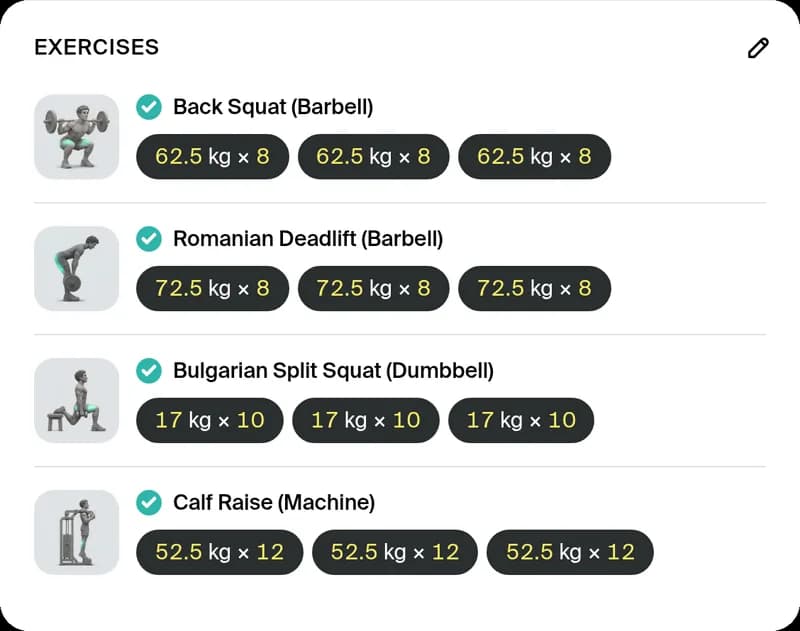
A strength session in STAS: squats, Romanian deadlifts, Bulgarian split squats and calf raises with sets and weights

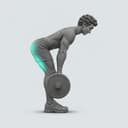
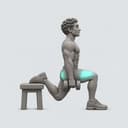
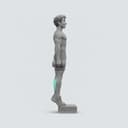
Exercises with images

Every exercise in the session comes with an image, sets and weights.

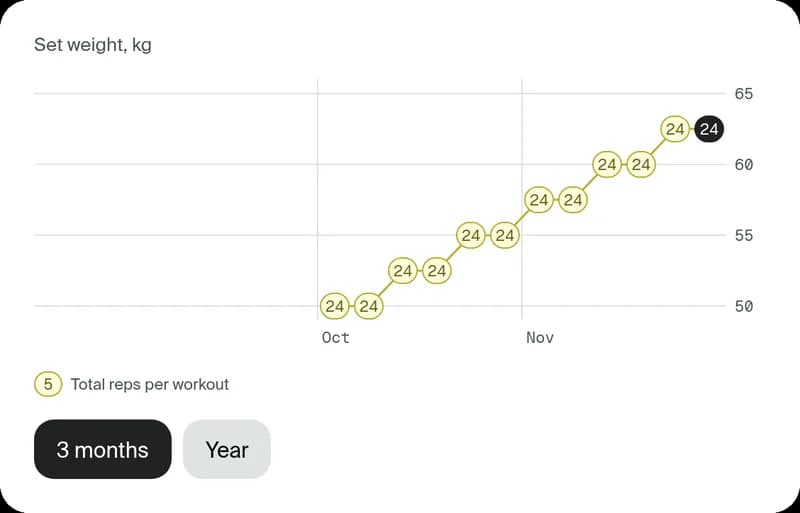
Exercise history in STAS: a weight chart across sessions

Exercise history

A chart of weight, reps or time helps you plan the next session.

A sample strength workout in STAS

This is how a strength workout looks on your calendar: exercises from the library, with images and sets. You can build it yourself or ask your AI chat.

Strength for runners: legs and core

40–50 minutes, after an easy run

  • Back Squat (Barbell)3 × (5 reps)
  • Romanian Deadlift (Barbell)3 × (6 reps)
  • Bulgarian Split Squat (Dumbbell)3 × (8 reps per leg)
  • Standing Calf Raise (Dumbbell)3 × (10 reps)
  • Side Plank3 × (30 s per side)

Exercise images and history

The exercise library, your own exercises and progress on each one.

Exercise library

180+ exercises with images: legs, core, back, shoulders, running drills, plyometrics and dryland work for swimmers.

Your own exercises

If an exercise is missing, add your own. STAS will draw an image and ask for your approval.

History

STAS keeps a history of your sets for each exercise. Once you have a few comparable sessions, a chart of weight, reps or time appears. Your AI chat sees this history too when it plans your next session.

The role of strength

In your profile, say whether strength work supports your endurance or is a goal in its own right, and set your goals.

STAS, a gym app or a running app

How three common ways of tracking strength training compare if you also train for endurance.

Gym appRunning app with strengthSTAS
Sets, reps and weightYesOftenYes
Runs, rides and swims on the same calendarNoRuns onlyYes
Planning in your own ChatGPT or ClaudeNoNoYes
Intervals.icu dataNoDepends on the appYes

Get started

Getting started takes just a few minutes.

  1. Sign in to STAS with Intervals.icuYour watch workouts are already there.
  2. Connect ChatGPT or ClaudeUse https://stas.run/api/mcp.
  3. Add your first strength sessionIn the calendar or through your AI chat.
  4. Tick off sets at the gymOpen the session in STAS and log sets as you go.

FAQ

Is it free?

Yes, you can start for free, with no credit card required. Connecting ChatGPT or Claude depends on your plan with the service you choose.

Do I need a watch?

No. You can plan and log strength sessions right in STAS. A watch is what brings your runs, rides and swims in through Intervals.icu.

Are there ready-made strength programs?

No. Your AI chat writes strength sessions around your goals and your week, and you approve the plan.

How does strength count toward training load in Intervals.icu?

A strength session reaches Intervals.icu as a workout. How it affects fitness and fatigue depends on your Intervals.icu settings.

Track your strength work next to your runs and rides

Sign in to STAS with Intervals.icu.