
Guide
Amazfit Heart Rate Zones Wrong? Fix Zepp Zones First
If an easy run on Amazfit keeps showing Zone 3 or Zone 4, do not judge the workout yet. Zepp may be using the wrong max HR, resting HR, HRR, LTHR or custom zone settings. Fix the zone source first, then use Intervals.icu and STAS.run to read the workout in context.
Quick answer: fix Zepp zones before judging training
If Amazfit says every easy run is Zone 3, Zepp is often using generic age-based zones or stale heart-rate inputs. Use a lactate-threshold test or a tested max HR, enter custom zones in Zepp, then let Intervals.icu and STAS.run compare the result with real training history.
Use the built-in LTHR test if your model has it, or run the 30-minute field test below.
Calculate Z1-Z5 from LTHR and enter them manually in Zepp instead of using 220 minus age.
Use Intervals.icu and STAS.run to understand whether easy, tempo and interval sessions match the plan.
What to check first
Most Amazfit heart-rate zone problems come from one of four places. Use this table before changing your training intensity.
| Symptom | Likely cause | What to do |
|---|---|---|
| Easy runs keep showing as Zone 3 or Zone 4 | Max HR is too low, or Zepp is using an age-based estimate. | Enter a tested max HR, use HRR with current resting HR, or switch to custom zones from a threshold test. |
| Zones changed after a Zepp or watch update | The app may have returned to automatic zones or recalculated boundaries. | Open Heart Rate Zones in Zepp, confirm custom mode is still selected, then save the boundaries again. |
| Zone 1 and Zone 2 feel too easy or too hard | Resting HR is outdated, HRR inputs are wrong, or LTHR no longer matches current fitness. | Refresh resting HR, recheck max HR or LTHR, and compare recent easy runs in Intervals.icu. |
| Bike rides and runs land in the wrong zones | Amazfit usually applies one zone set across sports, while cycling HR is often lower. | Keep watch zones simple, then use Intervals.icu for sport-specific review and decisions. |
Why default Amazfit zones are wrong
Out of the box, Amazfit calculates your heart rate zones using the formula: Max HR = 220 − age. It's simple, but the error is ±10–15 beats per minute. For a 35-year-old, the formula says max HR is 185 — but it could actually be anywhere from 170 to 200.
Wrong max HR means wrong zones. If your real max is 200 but Amazfit thinks it's 185, your Zone 2 boundary is set too low. Every easy run shows as Zone 3–4. You think you're pushing hard, but you're actually in aerobic range. Or worse — you slow down unnecessarily because the watch keeps beeping.
The fix: determine your lactate threshold heart rate (LTHR) and set zones based on that. LTHR is individual — no formula, no guessing.
Choose the zone method deliberately
Amazfit and Zepp can show zones from different inputs. The best method depends on what data you actually trust.
Max HR zones
Useful if you know your tested max HR. Weak if the value comes from age or from one short hard effort.
HRR zones
Heart rate reserve uses max HR and resting HR. It can make easy zones more realistic, but only if both inputs are current.
LTHR zones
Lactate-threshold zones usually fit tempo and threshold work better because they are based on a hard sustainable effort.
Custom zones
Use custom zones when you already know your boundaries from a test, a coach, or a trusted calculator. Recheck them after fitness changes.
How to find your lactate threshold
The lactate threshold is the intensity where lactate starts accumulating faster than your body can clear it. Your LTHR is the heart rate at this point. Here's a simple test anyone can do:
Warm up for 10 minutes
Easy jogging — don't rush. The goal is to get blood flowing and HR stable before the hard effort.
Run 30 minutes all-out
Start your Amazfit timer, then run as hard and evenly as you can for 30 minutes. This isn't a sprint — it's the hardest pace you can sustain. Think 10K race effort. Go too fast and you'll fade; too slow and the result won't be accurate.
Check the last 20 minutes
Open the workout in Zepp after you're done. Find the average heart rate for the last 20 minutes (not the full 30 — the first 10 minutes include HR ramp-up). That number is your LTHR.
T-Rex 3 Pro has a built-in LTHR test. Go to Workouts → Training → Lactate Threshold Test on the watch. Follow the guided protocol. The result shows your LTHR directly — no manual calculation needed.
Calculate your 5 zones
Use your LTHR to set zones based on Joe Friel's methodology. This is the most widely used system for endurance athletes:
Recovery
< 81%
Aerobic
81–90%
Tempo
90–94%
Threshold
94–100%
VO2max
> 100%
Example: LTHR = 170 bpm. Z1: below 138, Z2: 138–153, Z3: 153–160, Z4: 160–170, Z5: above 170. Use the STAS HR zone calculator for exact numbers based on your LTHR.
How to set zones in the Zepp app
Amazfit doesn't import zones from external sources. You need to enter them manually in the Zepp app:
Open zone settings
Zepp app → Profile (bottom right) → scroll to Workout settings section → Heart Rate Zones. You'll see the current zones based on the 220-age formula.
Switch to custom zones
Tap to edit. Enter the lower and upper boundary for each zone based on your LTHR calculation. Save.
Verify on the watch
Start a workout on your Amazfit. Check the zone display — it should now show your custom zones. During easy runs, you should be solidly in Zone 1–2.
Limitation: Amazfit uses ONE set of zones for all sports. If you run and cycle, your cycling zones should ideally be 5–10 bpm lower — but Zepp doesn't support sport-specific zones. Intervals.icu does.
HR zones by Amazfit model
All current Amazfit models support custom heart rate zones through the Zepp app. Here's what each model adds:
Built-in LTHR test, optical HR, 25-day battery. The most feature-complete Amazfit for runners. Also supports workout push from Intervals.icu.
Optical HR, custom zones via Zepp. Workout push from Intervals.icu supported. Good all-around smartwatch for runners.
AMOLED display, 25-day battery. Accurate optical HR. No built-in LTHR test — use the manual 30-minute method.
Dual-band GPS for runners. Zepp Coach integration. Custom zones via Zepp. Best GPS accuracy in the Amazfit lineup.
Automatic zones from training data
Manual zone setup works, but zones shift as your fitness changes. Intervals.icu can analyze your workout history, zone distribution and threshold changes instead of relying only on one watch setting.
Connect your Amazfit to Intervals.icu and use that history as the bigger picture. STAS.run brings zones, recent workouts and load context into ChatGPT or Claude, so the answer is based on your actual training.
How Intervals.icu and STAS interpret zones with history
A single workout can be misleading. The same Zone 3 run can be fine in a build week, too hard after poor sleep, or suspicious if your zones changed yesterday. History gives the answer.
Keeps the workout history, load, zones and calendar together, so you can see whether the zone pattern repeats or was a one-off.
Prepares that context for ChatGPT or Claude: recent workouts, zones, fatigue, form and your own training rules.
Ask whether today's zone data matches the plan, whether to adjust easy pace, or whether a hard session should move.
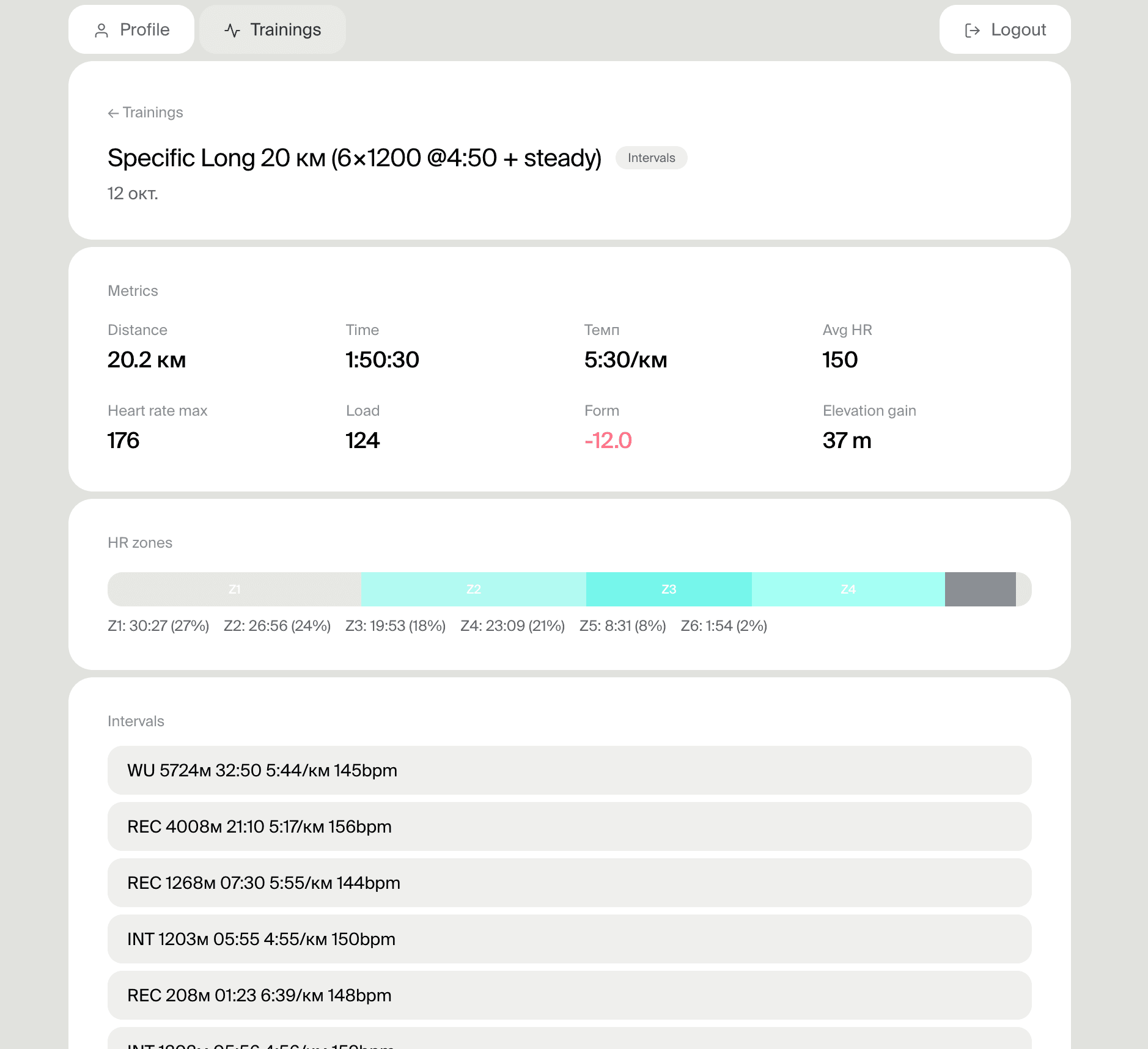
Free setup. Intervals.icu remains your training source of truth.
Frequently asked questions
Why does Amazfit show an easy run as Zone 3?
Most often, Zepp is using a max HR that is too low, an outdated resting HR, or custom zones that were reset. Check the zone method first, then compare the workout with your training history.
Should I use max HR, HRR or LTHR zones on Amazfit?
Max HR works if your maximum was tested. HRR can be better for easy intensity because it includes resting HR. LTHR usually fits running intensity better. If you already know the boundaries, use custom zones.
Why did Zepp change my zones after an update?
After an app update, firmware update, or phone switch, Zepp can fall back to automatic zones or recalculate boundaries. Confirm that custom mode is still selected and your boundaries are saved.
Can I use custom heart rate zones on Amazfit?
Yes. Zepp lets you enter zone boundaries manually. This is the best option when you have an LTHR test result, tested max HR, HRR calculation, or coach-defined boundaries.
Are heart rate zones the same for running and cycling?
No. Cycling HR is often 5-10 bpm lower than running HR at the same perceived effort. Amazfit usually uses one zone set, so it is better to review sport-specific analysis in Intervals.icu.
Related guides
How to set up your Amazfit for serious running training
Connect Amazfit to Intervals.icu — step-by-step
HR Zone Calculator — calculate zones from your LTHR or max HR
Amazfit interval workouts — use zones inside structured sessions
Intervals.icu for runners — review zones and training history
VDOT Calculator — pace targets for intervals and threshold sessions
Amazfit training plans — build a week around accurate zones
Zepp Coach guide — how its plans use recovery and HR data
Calculate your zones now
Enter your LTHR or max heart rate and get precise zone boundaries instantly.
Open HR Zone CalculatorFree — no registration needed