
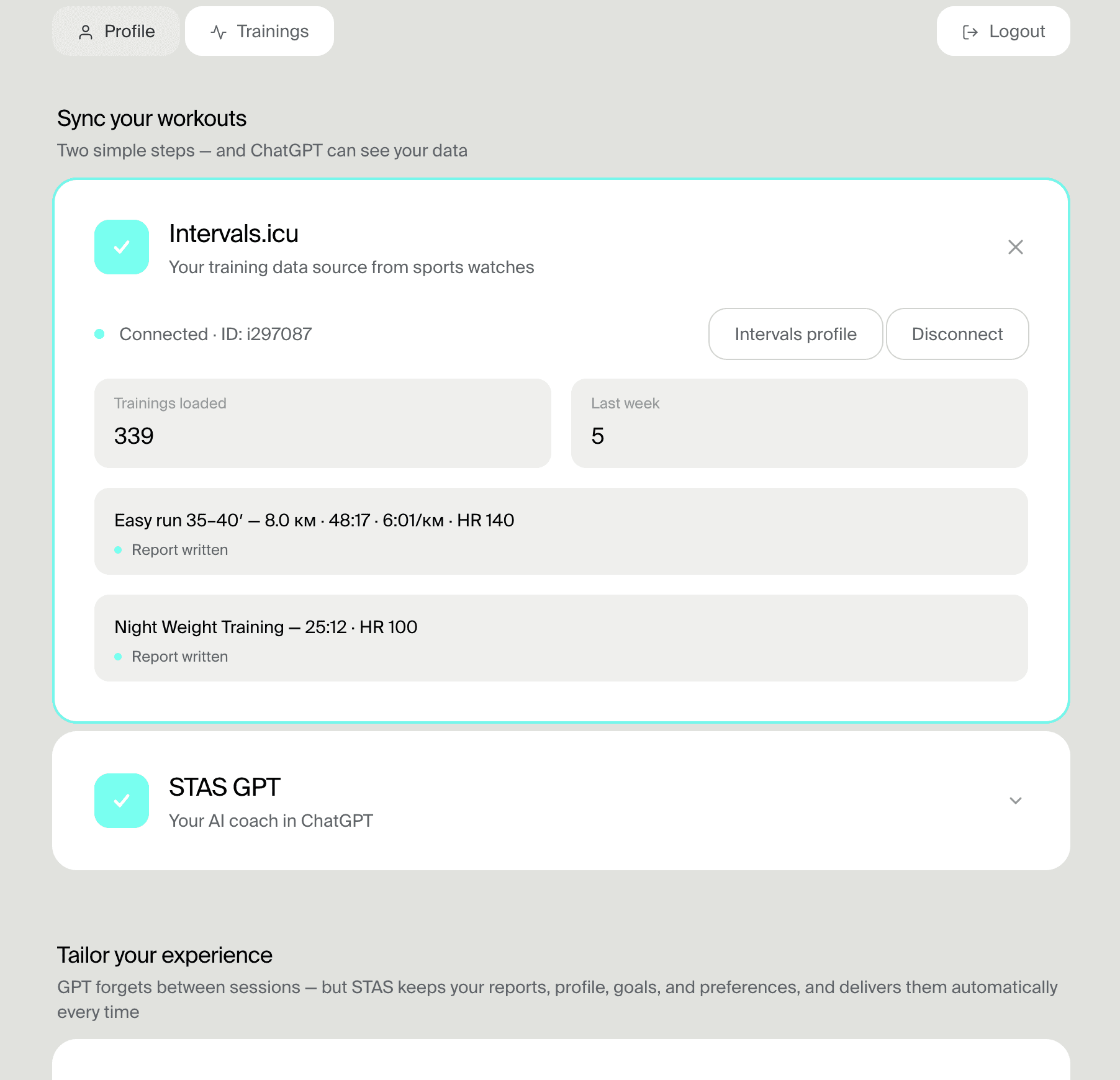
Connect once
Connect Intervals.icu once instead of pasting screenshots into ChatGPT every week.
Source asset: Promotion/images/onboarding-connections.png.
ChatGPT + Intervals.icu
ChatGPT can write a plan from a prompt, but it cannot see your workouts by itself. STAS connects your Intervals.icu context so ChatGPT can answer from your actual training history, fatigue, zones, and calendar.
Connect Intervals.icuWhy screenshots are not enoughChatGPT does not connect to Intervals.icu on its own. STAS provides the training context, so the answer can reflect your current week instead of a generic plan.
The setup is a data path, not a technical project. Intervals.icu stays in charge of the training record.
Your device records the workouts and syncs them through your usual training setup.
Intervals.icu keeps the history, metrics, zones, and calendar.
STAS prepares the context ChatGPT needs for a useful coaching answer.
You ask normal questions and decide what to apply.
A screenshot can be useful for a quick explanation, but it is a weak foundation for coaching decisions.
A screenshot rarely shows enough of the last weeks or months to understand the current load.
ChatGPT has to guess what the workout, zones, load, and calendar mean when the data is only an image.
Every new chat starts from zero unless the training context is prepared consistently.
The answer can sound confident while ignoring form, recent hard days, and what is already planned.
Start with a review question, then ask for an adjustment only after you understand what changed.
Review my current condition and tell me what matters most before the next hard session.
I missed yesterday's workout. Adjust the next 5 days without losing the goal of the week.
I slept badly and my legs feel heavy. Should today's workout change based on recent training?
My race is coming up. What should I protect this week and what should I avoid adding?
Write me a 10K plan. This can be useful, but it does not know your current fatigue, calendar, or recent workouts.
Review my current condition and adjust this week based on recent workouts, fatigue, and my race goal.
STAS prepares structured context so ChatGPT can reason from the training record instead of guessing from a prompt.
Duration, distance, pace, heart rate, intervals, sport type, workout load, and recent workout notes.
Recent trends and longer training history help separate one bad day from a real change in load.
Fitness, fatigue, form, training zones, planned sessions, and where an adjustment would fit.
Race goals, personal constraints, recovery signals, and athlete rules when they are available in STAS.
The screenshots show the data path and the product context. The useful proof is the native example text next to them.
Connect Intervals.icu once instead of pasting screenshots into ChatGPT every week.
Source asset: Promotion/images/onboarding-connections.png.
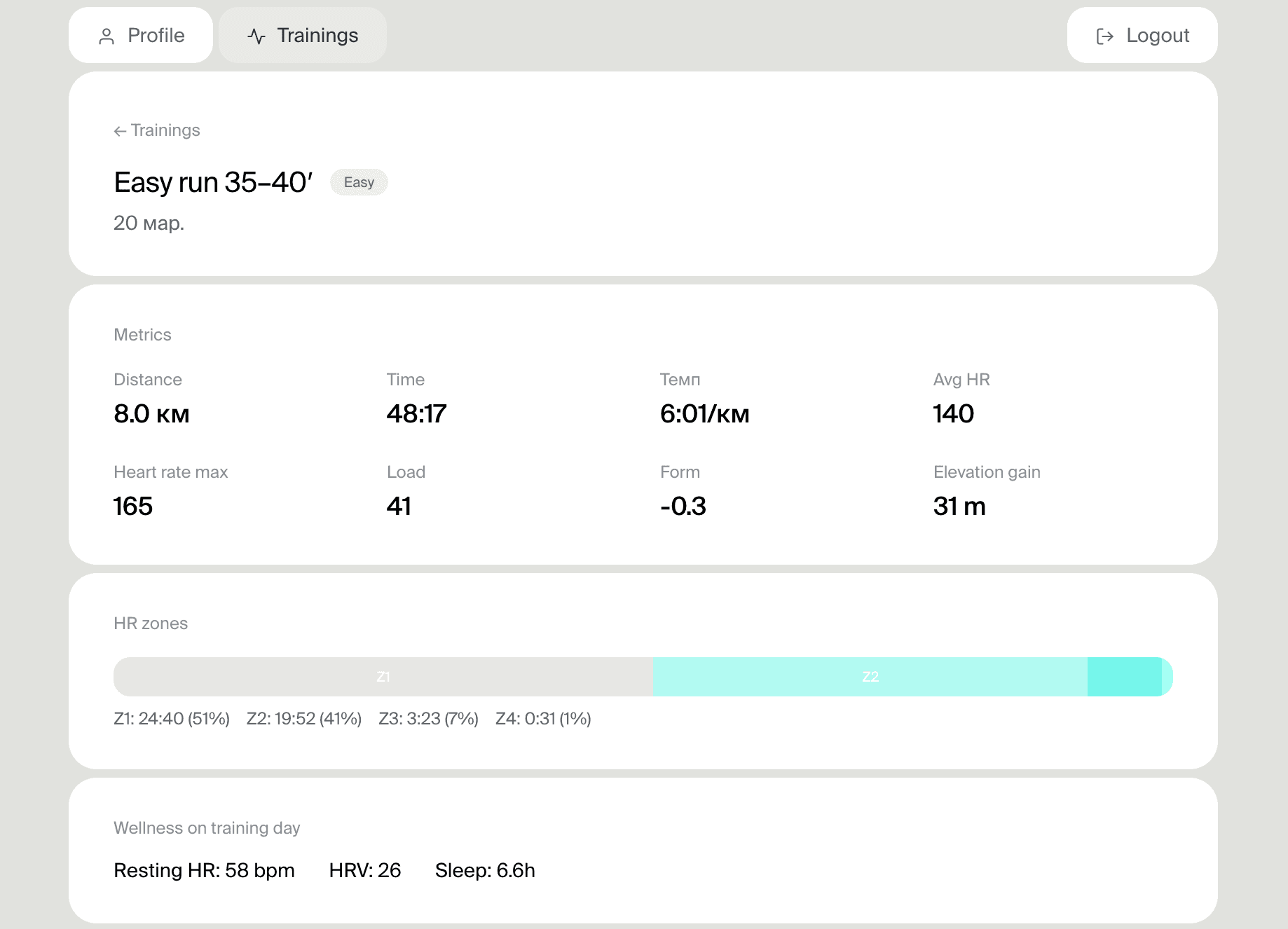
STAS can prepare recent workout context for the AI conversation.
Source asset: Promotion/images/training-detail-easy.png.
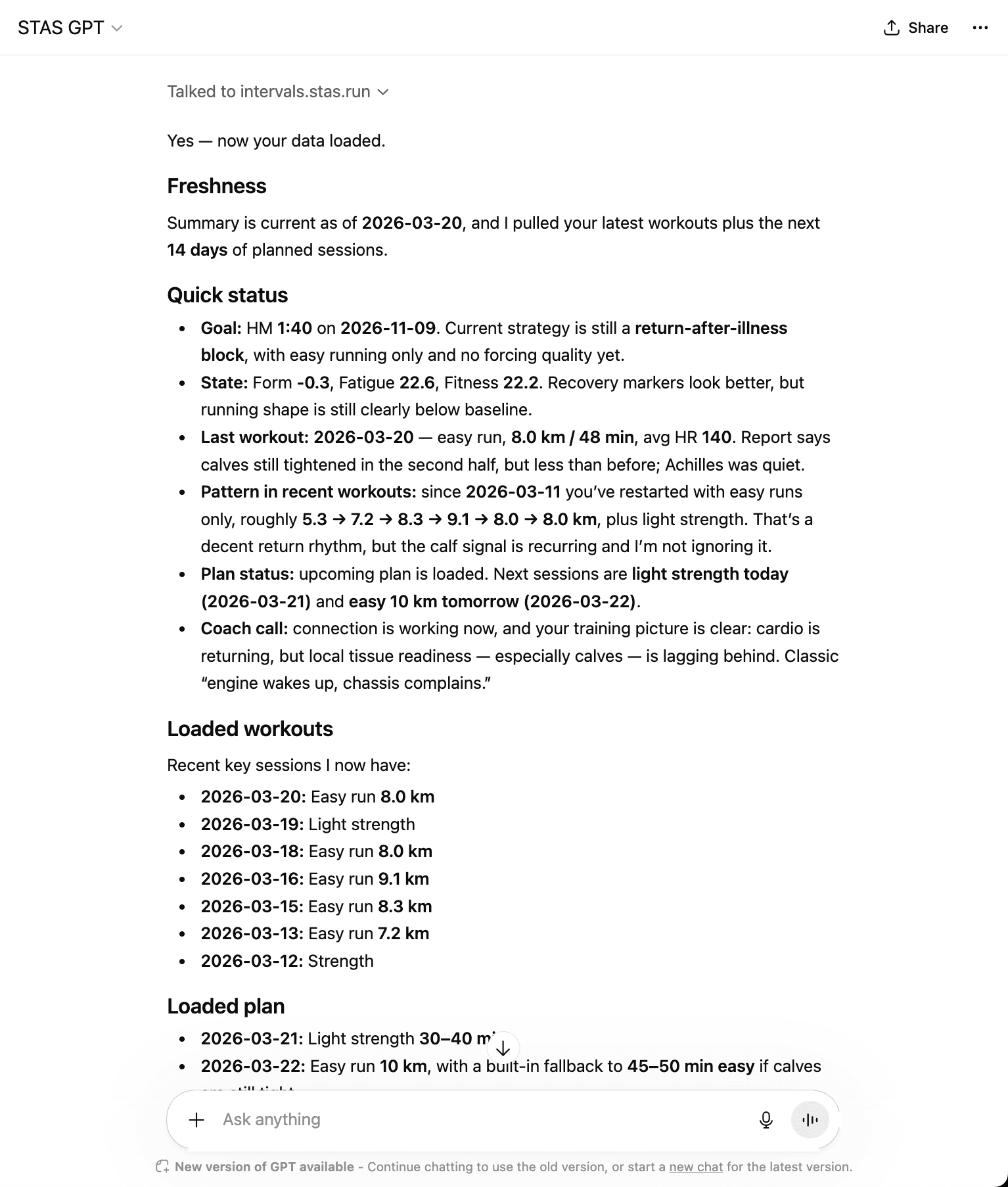
ChatGPT becomes useful when the prompt includes structured training context.
Source asset: Promotion/images/gpt-conversation.png.
Make sure your workouts and calendar are already in Intervals.icu.
Sign in with Intervals.icu. STAS prepares the data ChatGPT needs.
You do not need to understand the technical connection. Start from a normal training question.
Ask why the change makes sense, then decide whether to apply it to your plan.
Can explain training theory and write a plan, but may ignore your actual week.
Can review recent workouts, fatigue, zones, and calendar before suggesting the next step.
The answer should explain the reason and leave the final decision with you.
STAS uses the training context you connect through Intervals.icu to prepare AI coaching conversations. Intervals.icu remains the source of truth, and you stay in control of decisions and plan changes.
You can, but screenshots miss structure, history, calendar context, and repeatability. STAS gives ChatGPT cleaner training context.
Not by default. STAS connects to Intervals.icu and prepares the context for ChatGPT or Claude.
STAS setup is free. ChatGPT access, limits, and pricing depend on the ChatGPT product you choose.
STAS can prepare recent workouts, longer history when available, load, form, zones, calendar, goals, rules, and wellness signals when available.
No. Use AI to review and explain options. Plan changes should be confirmed by you before they are applied.
The broader Intervals.icu AI coaching workflow.
Set up the path from your sports watch to an AI conversation.
See why generic plans break down when the AI cannot see your real data.
Compare closed apps with ChatGPT or Claude using real watch data.
Create, import, share, and adjust plans in Intervals.icu.
Use race results to calculate paces and add better context to training decisions.
Connect Intervals.icu once, then ask ChatGPT to review your current condition from real workouts, fatigue, zones, and plan data.
Connect Intervals.icuSTAS setup is free. Your ChatGPT or Claude usage depends on the AI product you choose.